

Free during beta
ProScoreboard
Run the match.
Show the moment.
Bring your scores, tournaments, and on-screen graphics together. Built for the people keeping play moving, from the first match to the final point.

Find your game
Seven sports. One place to keep score.
Choose your sport when you set up a match. Scoring controls and match settings follow the game you play.
From setup to the final score
Keep the event moving.
- 01
Set up the day
Organize players, teams, matches, and tournaments. Keep your court assignments and upcoming matches in view.
- 02
Follow the action
Update the score as play happens, manage the match, and correct a score when you need to.
- 03
Put it on screen
Choose a scoreboard, make it your own, and bring the match score into your broadcast.
The match-day suite.
One place to start, with companion tools for more of your event. Beta access is free for all available features. The newer tools below are still in preview and may need separate setup.
Scoring & broadcast
Score seven sports, organize players and teams, manage competitions and match queues, and create scoreboards, tournament screens and social graphics.
Use these features in the app. Available tools depend on your account permissions and how your installation is set up.
Tournament Manager
Set up entrants and draws, call matches, allocate courts, and review results or corrections.
A separate organizer application for web and desktop. Connected scoring needs setup. Still in preview; real venue use needs testing before an event.
Registration
Collect entries and consent, manage partners or teams, handle waitlists, and prepare check-in lists.
A separate registration app. Payments are limited to test mode; live payments and outgoing registration emails are not available in this preview.
Media Manager
Capture optional portraits, prepare participant graphics, and check photo permissions before sharing.
A separate media app and capture station that connects with Registration. Camera compatibility and real event use still need testing.
Equipment
Track stock, loans, returns, inspections and transfers so staff know where equipment is.
A separate venue companion that can connect with Registration and Tournament Manager after setup. Scanner, camera and equipment-desk workflows still need real-event testing.
Self-Service Kiosk
Give participants a shared screen for checking in, submitting results for staff review and asking for help.
A separate shared-screen app that needs staff setup and a secure connection. Venue devices and participant workflows still need testing.
Agent Tools
Let approved assistants help with supported event tasks, with staff review for important changes.
Optional automation tools that need approved access and connected services. They are not a replacement for officials or trained event staff; production use still needs testing.
Your event. Your identity.
Give the score a place on screen.
Start with a template, then shape the colors and presentation around your event.
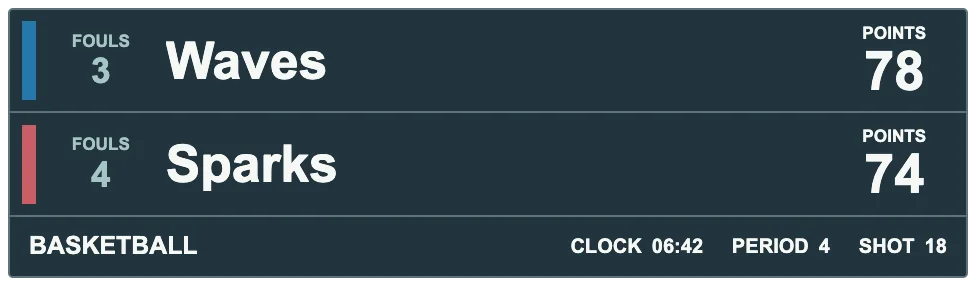
These are real public catalog previews. Displayed clocks and extra counters may be sample placeholders; check your chosen template and sport before using it for an event.
See the scoreboardsFree during beta
Try it before match day.
ProScoreboard is in beta. Features are still evolving, so rehearse your scoring and broadcast setup before relying on it at an event.
A few things to know
Questions before the first match?
Which sports can I score?
Table tennis, pickleball, volleyball, basketball, soccer, baseball, and softball. Match settings and available controls vary by sport.
Can I use my own scoreboard design?
Yes. Start with a scoreboard template and customize it to fit your event, including its colors and imagery.
Can I bring scores into my broadcast?
Yes. ProScoreboard provides scoreboard outputs for your broadcast. Test your chosen graphics and streaming setup together before going live.
Do I need an account?
You can read these pages without signing in. Open the app and sign in to manage your matches and events.
Where can I read more?
Visit Articles for published guides and product updates.